
CargoWiz Driver – the driver app for your TMS
Dispatch plans the tour in the control centre, the driver sees it on the phone: every stop, time window and note. Delivery notes and pallet receipts are scanned right after handover – seconds later they sit in the office, attached to the right tour.
The day at a glance
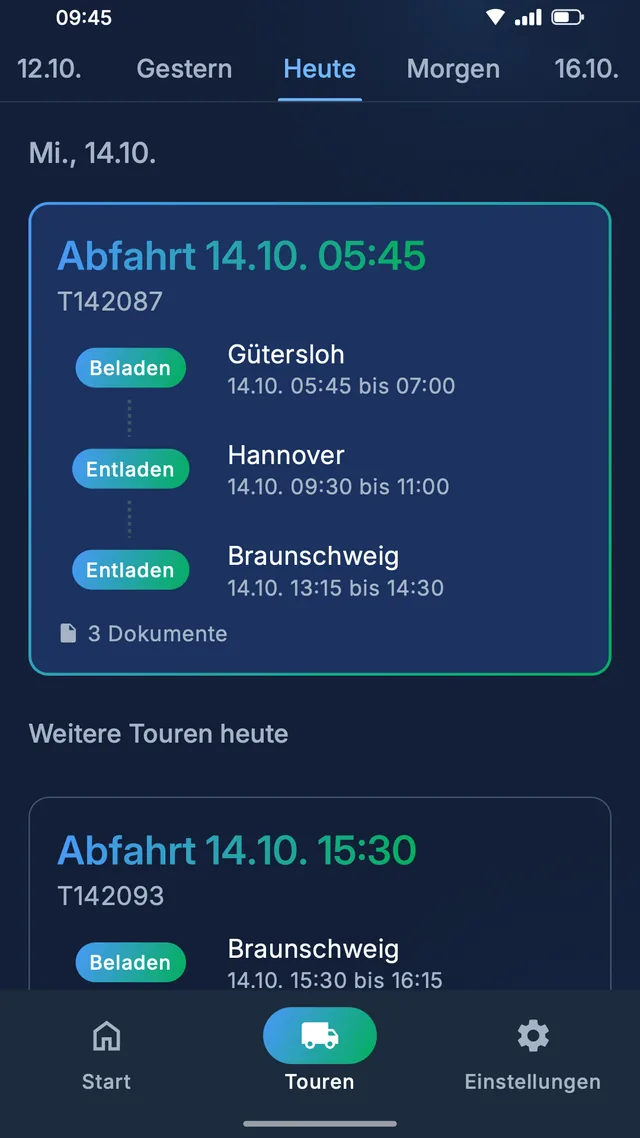
On opening, the current or next tour is right there – no searching. The tour overview is organised by day and simply swipes through: yesterday, today, tomorrow and the days ahead. Each tour card shows departure time, tour number, every stop with town and time window, and the number of documents already uploaded.
Every stop, every instruction
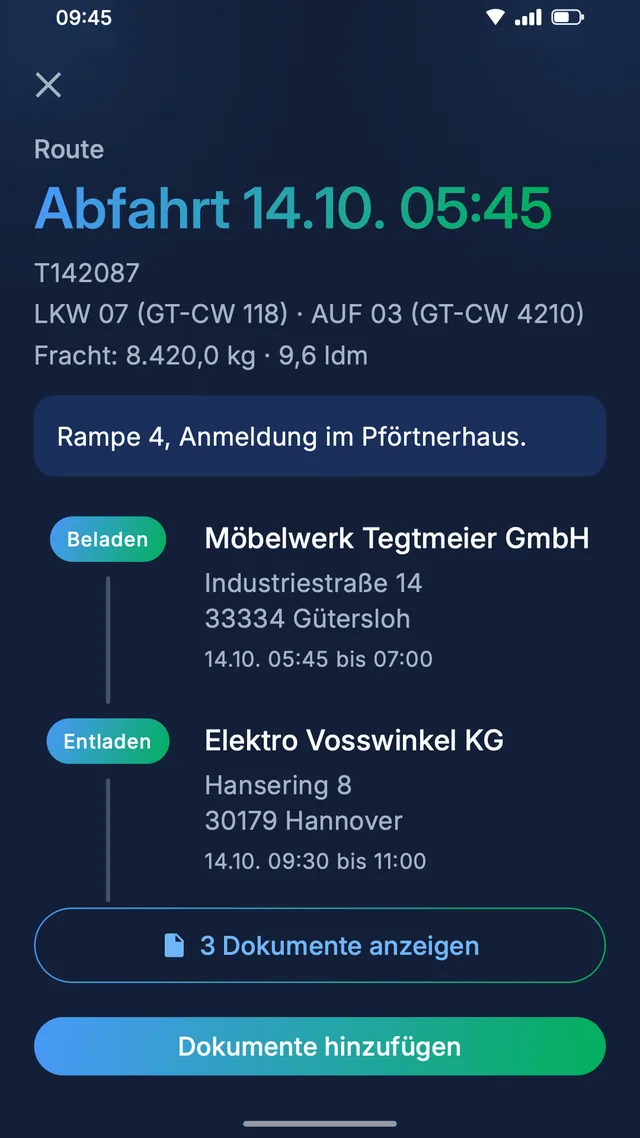
In the tour details the driver sees everything dispatch has planned: the assigned vehicles with plates, weight and loading metres of the freight, a dangerous goods note for ADR loads, and the dispatch instructions in their own highlighted box. Below, every stop with company, address and time window – marked as loading or unloading.
Scan the document, done
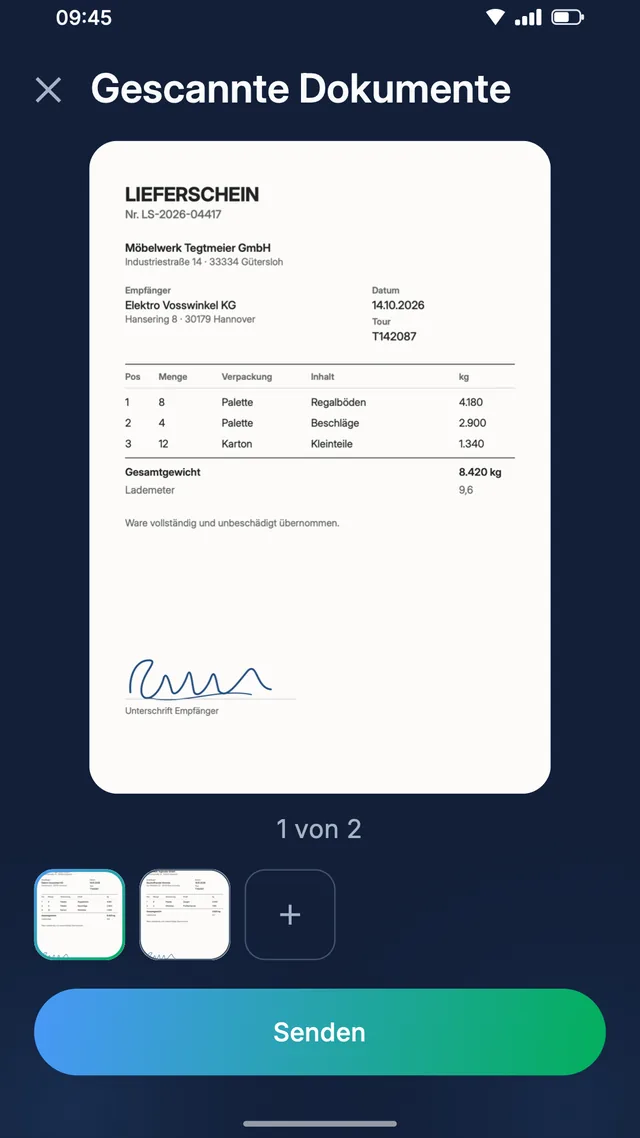
The built-in document scanner detects the document automatically and straightens it – across several pages if needed. Then pick the document type, say delivery note or pallet receipt, and send. The upload goes straight to the right tour, and photos of the load can be sent the same way.
Arrived at the office
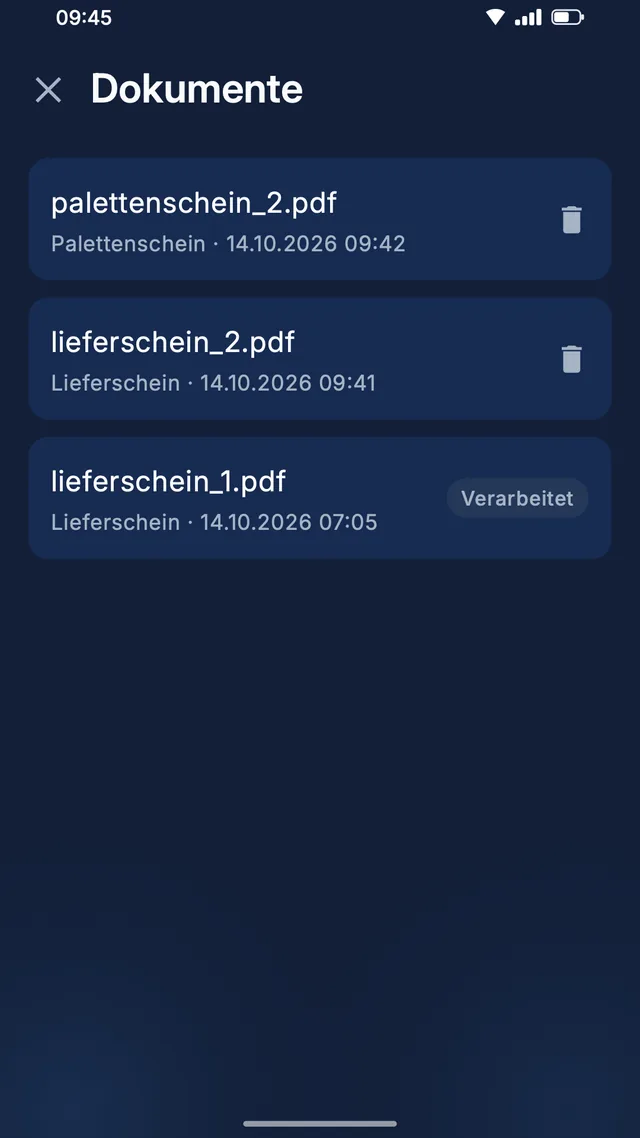
Every tour has its document list: the driver sees all their uploads and can open them again right in the app. As long as the office has not assigned a document yet, they can delete it. Once it has been processed, it shows as “Processed” – the driver knows the paperwork has arrived.
Built for drivers – not for office chairs
Local and long-haul, often with gloves on, in dark surroundings, under time pressure. That is why the app is deliberately large and dark.
Large, dark, easy to read
Large type, a dark interface and clear buttons – readable at a glance even with gloves on, in dark surroundings and under time pressure.
In many languages
The language switches right inside the app, independent of the phone's system language. Every driver works in their own language.
Securely connected
Your company issues the login. The connection between the app and CargoWiz is fully encrypted – your documents stay in your system.
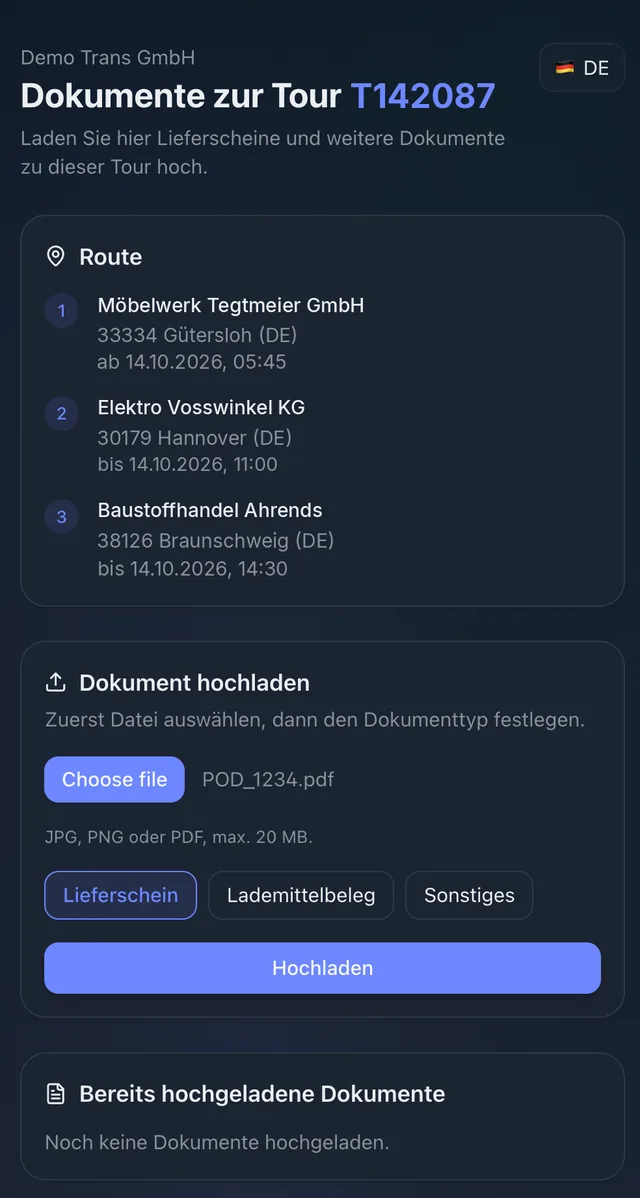
And your carriers? A link is enough.
For subcontractors without a CargoWiz login there is the upload portal: CargoWiz creates a link for every tour and prints it on the transport order. The carrier opens it, sees the stops and uploads documents such as delivery notes or pallet receipts from phone or PC – no login, in several languages. Everything lands in your inbox, with sender and tour.
More about the upload portal →Notes in the cab, photos in the chat
Where do I go next – and where is the delivery note? Without an app, both questions go through the phone: the driver calls dispatch because the tour plan is on a slip of paper, and the signed delivery note arrives as a WhatsApp photo, by private email or only at the weekend with the paper pile. Until then, the office cannot invoice.
The same tour – in the control centre and on the phone
CargoWiz Driver shows the driver exactly the tour dispatch planned: stops, time windows, vehicles, freight and notes. Documents are scanned right in the app and land on the right tour in the system. The office sees them seconds later and can assign, check and invoice – and the driver sees that the document has been processed.
What you get out of it
Documents reach the office seconds after handover – not days later.
No more calls to pass on tours, stops or ramp instructions.
Drivers see in the app as soon as the office has processed their document.
Available in many languages – every driver works in their own language.
How it works
Dispatch plans the tour in CargoWiz and creates a login for the driver.
The driver signs in to CargoWiz Driver and sees their tours with every stop and note.
After handover they scan the document – it lands on the tour immediately, and the office assigns it.
Related topics
See the CargoWiz Driver App in a live demo
In a live demo we show you control centre and driver app together: from tour planning to the assigned delivery note.